
Split-Screen/Multiple Canvases
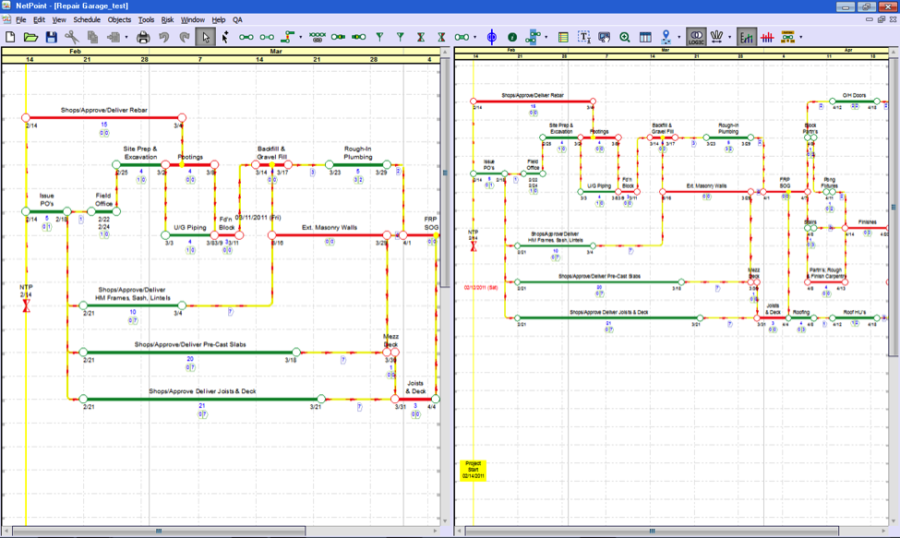
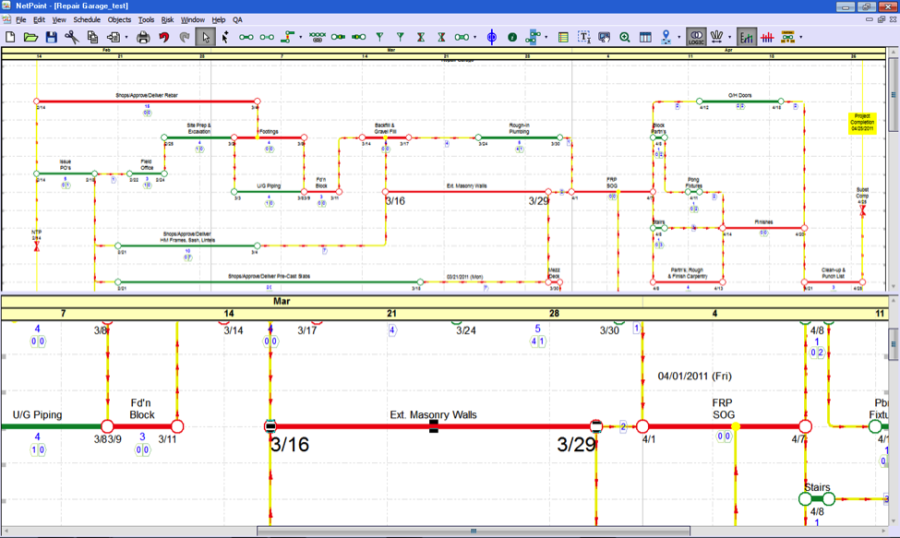
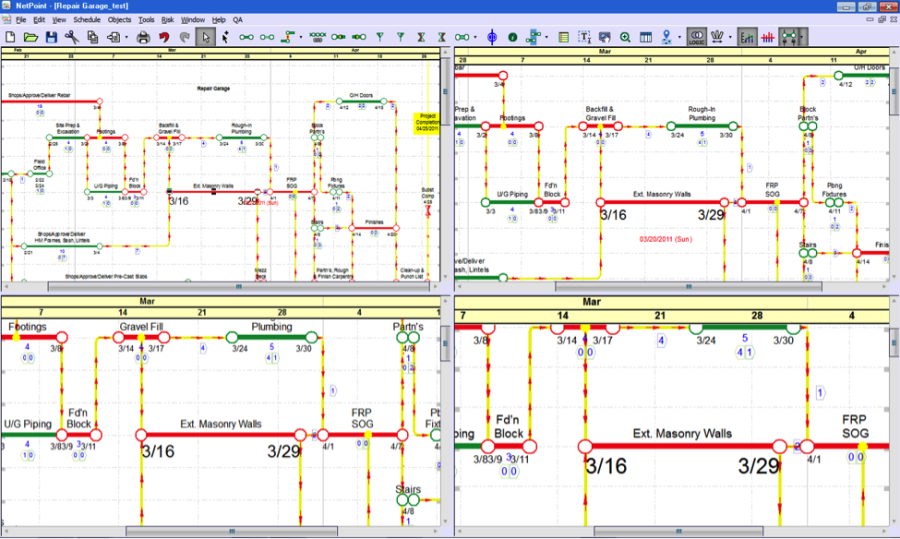
NetPoint allows you to divide each window into more than one canvas for the same schedule. This can be useful when you have a large schedule that can't fit within view all at once. The window can be split vertically, horizontally, or both, the latter of which produces four canvases.
Each canvas can be independently zoomed and scrolled, or the zoom can be linked via the menu option in the View menu.
Each canvas can have the resource plots and Date Lock mode turned on and off independently. Everything else applies to all canvases, including the GEM, Logic and Planning modes, canvas formatting, grid spacing, and stretch factor. Any modifications to the network performed in one of the canvases will be immediately reflected in the others. Please refer to the following steps.

If the header or footer have been turned on, the horizontal and vertical splits will be disabled.
- Open the desired project via File > Open Project from the menu bar.
- To split the window into two side-by-side canvases, choose View > Vertical Split.
- To split the window into two canvases stacked on top of each other, choose View > Horizontal Split.
- To split the window into four canvases, apply steps 2 and 3 (in either order).
- To switch focus and control from one canvas to another, click the Select Tool icon from the toolbar and left-click with the mouse on an empty portion of the canvas.
- To resize the canvases, move the cursor over the dividing line between canvasses.
- Click-and-drag the double sided arrow that appears in the desired direction.
- Click-and-drag the double sided arrow that appears to any edge of the application window. Alternatively, click View from the menu bar and uncheck the split you wish to remove.
The Active Canvas
At any given time, only one canvas can be active per window. Changes made in the active canvas will be reflected in the other canvases for the same window; the time it takes will depend on the size of the schedule. Always change the active canvas before adding or making any modifications to it; otherwise, the cursor may not update and the date will not follow along.
Vertical Split
Horzontal Split
Double Split
Jump to: